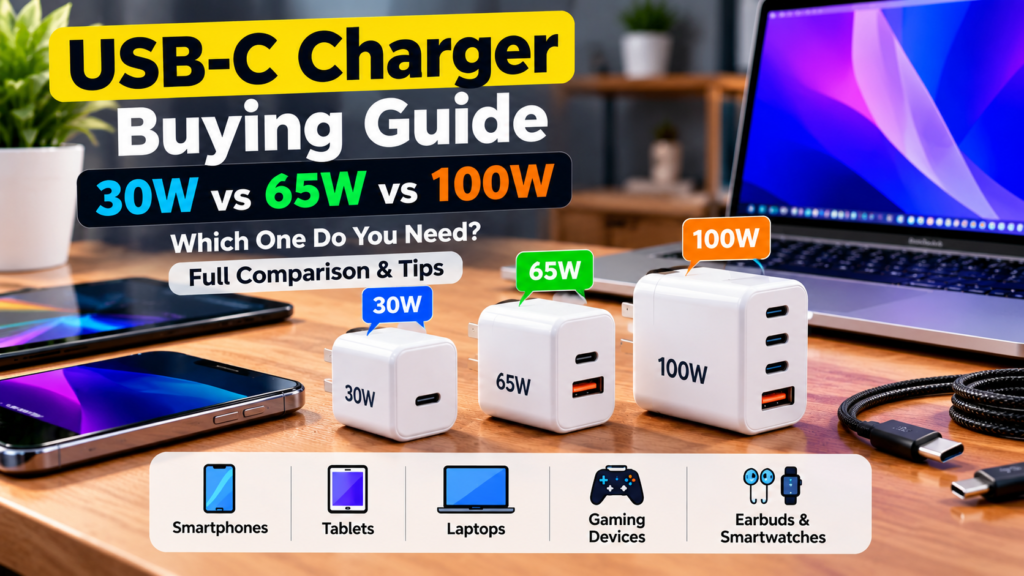
This USB-C charger buying guide helps you choose between 30W, 65W and 100W chargers without wasting money. The short answer: buy the lowest wattage that fully covers your most demanding device, then add a little headroom. A 30W charger suits most phones and tablets, 65W suits most thin laptops, and 100W suits larger laptops or people who want one charger for everything.
Last updated: October 2026. This is a research-based buying guide built on USB standards and manufacturer specifications. It is not a lab test of individual chargers.

Quick Answer: Which USB-C Charger Wattage Do You Need?
| Wattage | Best for | Typical devices |
|---|---|---|
| 30W | Phones, tablets, earbuds, small accessories | Most smartphones, tablets, thin ultraportable laptops that accept low power |
| 65W | Laptops and fast phone charging | Most ultrabooks and many thin laptops, handheld gaming PCs, phones and tablets together |
| 100W | Larger laptops and multi-device charging | Bigger work laptops, creator laptops, desks with several devices on one charger |
Always check the original charger or the manual of your device. The right number is the one your device can accept, not the highest one available.
Table of Contents
- How USB-C Charging Works
- 30W Chargers: Who Should Buy One
- 65W Chargers: The Sweet Spot
- 100W Chargers: When You Need One
- Do Not Ignore the Cable
- Features That Matter: GaN, PD, PPS and Ports
- Safety: What to Look For
- How to Choose in 4 Steps
- FAQs
How USB-C Charging Works
A USB-C charger does not push power into your device. Instead, your device and the charger talk to each other and agree on a voltage and current. Your device then draws only what it needs. Therefore, a stronger charger is safe for a lower-power device, as long as it follows the standards.
The main standard is USB Power Delivery (USB PD). USB-IF says USB PD 3.1 extends the specification to power levels up to 240W over compatible USB-C cables. That does not mean every charger or device supports 240W: the charger, device and cable must support the required power mode.
Some phone brands also use their own fast-charging systems. If your charger does not support your phone’s special mode, the phone usually still charges, but more slowly. Check your phone’s specifications to see which standard it uses. For example, many Samsung phones use a PD feature called PPS for their fastest speeds.
30W Chargers: Who Should Buy One
A 30W charger is the best fit for most people who mainly charge phones, tablets and earbuds. It is small, light and usually the cheapest.
- Good for: everyday phones, tablets, wireless earbuds, smartwatches, travel bags.
- Can also charge: some ultraportable laptops, but slowly while you use them.
- Not enough for: a laptop under heavy work, because the battery may drain even while plugged in.
Also, many flagship phones accept much more than 30W through their own systems. If you want the maximum speed of your phone, check the number in its specifications first.
65W Chargers: The Sweet Spot
For many buyers, a 65W charger is the best value. It can run most thin laptops at full speed and still charge a phone quickly.
- Good for: ultrabooks, many 13 to 14 inch laptops, handheld gaming PCs, tablets and phones.
- Travel advantage: one charger can replace the laptop brick and the phone charger.
- Watch out: two-port 65W chargers often split power. For example, a laptop may get less power when a phone is also plugged in. Check the power split in the product listing.
100W Chargers: When You Need One
You need 100W if your laptop asks for it, or if you want one charger to power several devices at once.
- Good for: larger work or creator laptops that accept USB-C charging at high wattage.
- Great for desks: a multi-port 100W charger can run a laptop, phone and tablet together.
- Not needed for: phones alone. They will not charge faster just because the charger is bigger.
Note that some gaming laptops need more power than USB-C can provide for full performance. They usually ship with their own charger, so keep it.

Do Not Ignore the Cable
A great charger with the wrong cable will disappoint you. Cable limits matter, especially at higher power.
- USB-IF now uses 60W and 240W power markings for compliant USB-C to USB-C cables, so check the cable’s stated power capability.
- To charge at 100W you need a cable rated for 5 amps with an electronic marker chip (often called an e-marked cable).
- Cheap, unlabelled cables may charge slowly, run hot or fail. Choose cables that clearly state their wattage rating.
Features That Matter: GaN, PD, PPS and Ports
| Feature | What it means | Why you care |
|---|---|---|
| GaN (gallium nitride) | A newer material used inside chargers | Often allows smaller, cooler chargers at the same wattage |
| USB PD | The common fast-charging standard | Works across many phones, tablets and laptops from different brands |
| PPS | An extension of USB PD with fine voltage steps | Needed for the fastest charging on some phones |
| Multiple ports | Two or more outputs | Convenient, but check how the total power is shared |
| Foldable plug | Pins that fold flat | Easier to carry in a bag |
Safety: What to Look For
A charger handles mains electricity, so quality matters more than price here.
- Certification marks. In India, look for the BIS registration mark. In other regions, look for marks such as CE, UKCA or UL, depending on where you live.
- Brand and warranty. Buy from a known brand or an authorised seller, and keep the invoice.
- Heat protection. Reputable chargers state protection against overheating, overcurrent and short circuits.
- Avoid unbelievable deals. A 100W charger sold at a very low price is a warning sign for fakes.
How to Choose in 4 Steps
- Find your device’s maximum charging power. Check the original charger label, the manual or the manufacturer’s specifications.
- Pick the highest-need device. If you own a phone (30W) and a laptop (65W), buy for the laptop.
- Add small headroom. A charger slightly above your device’s need runs cooler and handles future upgrades.
- Match the cable and ports. Buy a cable rated for the wattage, and choose enough ports for your daily setup.

Keep Learning
If your battery still drains fast after you buy a new charger, read how to check which apps are draining your Android battery. You can also browse more Gadgets Review guides.
Frequently Asked Questions
Can I use a 100W charger on my phone?
Yes. Your phone only draws the power it can accept, so a higher-wattage USB PD charger is safe if it follows the standard. It will not charge a phone faster than the phone’s own limit.
Is 30W enough to charge a laptop?
Some small ultraportable laptops charge on 30W, but slowly, and the battery may drain under heavy use. Check your laptop’s recommended wattage and choose a charger that meets it.
What does GaN mean in a charger?
GaN stands for gallium nitride. It is a material that often lets manufacturers build smaller and cooler chargers than older silicon designs at the same power.
Do I need a special cable for 100W charging?
For 100W-class charging, use a USB-C cable with the appropriate power rating; 5A cables use an electronic marker (E-marker) to identify their higher-current capability. Do not assume every USB-C cable can carry the same power.
Is fast charging bad for my phone battery?
Modern phones manage charging speed and heat. Heat is the main enemy of battery life, so use a certified charger, avoid charging under a pillow, and keep the phone cool.
Which USB-C charger wattage is best for most people?
For phones and tablets, 30W is enough. For one charger that also runs a thin laptop, 65W is the best balance of size and price. Choose 100W only for larger laptops or multi-device desks.
Sources & further reading
- USB-IF: USB Power Delivery — USB PD specifications and power-delivery capabilities.
- USB-IF: Cables and Connectors — current USB-C cable power markings and compliance information.
- BIS: Compulsory Registration Scheme — power-adaptor safety requirements in India.
Final Thoughts
This USB-C charger buying guide comes down to one rule: match the charger to your most demanding device and add a little headroom. Choose 30W for phones and tablets, 65W for most laptops and travel, and 100W for larger laptops or busy desks. Finally, pair it with a rated cable and buy from a trusted, certified brand.