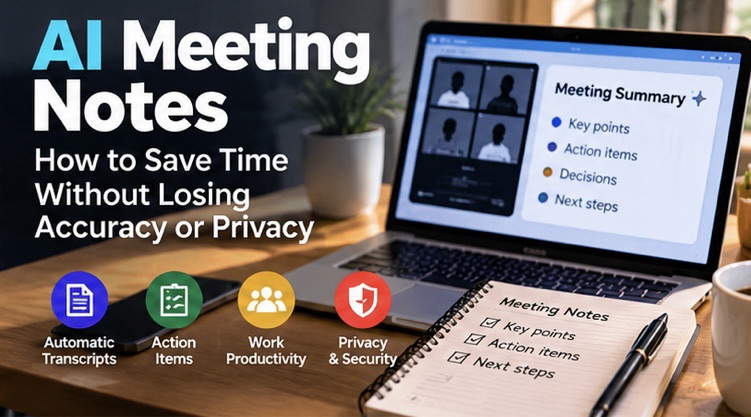
AI meeting notes can turn a long conversation into a short summary, decisions and action items. Used carefully, they can reduce the time spent writing minutes and help people who joined late catch up. But a polished summary can still miss a decision, confuse two speakers or turn a tentative suggestion into a firm commitment. The goal is not to let AI replace attention; it is to use it as a first draft that a person checks.
This guide covers the workflow, tool-selection questions, privacy checks and practical review method that individuals, freelancers and small teams can use. Product features and data handling change, so confirm the latest settings and policies inside the service you choose. If you are looking to streamline work beyond meetings, our AI productivity tools guide covers broader ways to save time with AI.
What are AI meeting notes?
AI meeting notes are summaries generated from a meeting recording, live transcription or text transcript. Depending on the service, the result may include key topics, decisions, questions, action items, owners and follow-up dates. Some tools work inside video-conferencing software; others join a meeting as a bot, record system audio or process a file that you upload afterwards.
These approaches are not identical. A tool that records audio may capture more context but raises additional consent and storage questions. A transcript-only workflow may be easier to review, while a live assistant can be useful for remote meetings. Before turning anything on, understand what is being captured, where it is sent and who can access the output.
Where AI notes help—and where they struggle
- Useful: routine project check-ins, brainstorming recaps, training sessions where recording is allowed, and meetings with clear agenda items.
- Needs careful review: discussions with many speakers, accents or mixed languages, technical vocabulary, numbers, dates and decisions that depend on nuance.
- Not a substitute for formal records: legal, medical, HR, financial or other high-stakes discussions where an official process and accountable reviewer are required.
AI can compress a conversation but does not know which detail your organisation considers legally binding or commercially sensitive unless the workflow provides that context—and even then it can be wrong. Treat the output as a draft, not an authoritative record.
A reliable workflow from meeting to action list
- Set an agenda. Write down the purpose and the decisions you need. A clear agenda makes it easier to detect missing or irrelevant summaries.
- Tell participants. Explain that AI transcription or recording will be used, why it is needed and who can access the notes. Follow workplace policy and obtain consent where required.
- Choose the minimum capture. If you only need a summary, do not collect video or extra data without a reason.
- Use a clear vocabulary list. Provide project names, product terms or acronyms where the service supports it, but avoid uploading confidential reference material unnecessarily.
- Generate the notes. Ask for a concise summary, decisions, open questions, action items, owners and due dates—kept in separate sections.
- Verify against the source. Check names, numbers, deadlines, negations and commitments against the transcript or recording.
- Share the approved version. Remove irrelevant personal details and confirm that recipients are authorised to see the content.
- Apply retention rules. Delete recordings or transcripts when no longer needed, according to company policy and the service’s settings.
How to prompt for useful meeting notes
A vague instruction such as “summarise this meeting” may produce a readable but unhelpful paragraph. A structured prompt is more practical:
Prepare draft notes from this meeting transcript. Separate (1) a five-sentence summary, (2) decisions that were explicitly agreed, (3) action items with an owner and due date only when clearly stated, (4) unresolved questions, and (5) risks or dependencies. Do not invent missing owners, dates or decisions. Mark uncertain or conflicting details as “verify”. Keep personal information that is not relevant to the work out of the summary.
This prompt does not guarantee accuracy, but it encourages the model to distinguish confirmed decisions from suggestions. If the transcript contains two conflicting deadlines, the notes should flag the conflict instead of silently choosing one.
Privacy checks before enabling a tool
Read the provider’s current privacy and retention documentation. Ask whether audio is sent to cloud servers, which subprocessors may process it, how long files and transcripts remain available, whether the data is used to improve models, and whether administrators can control access. The answers can differ by plan, region, account type and configuration.
- Check whether the meeting platform already has an approved transcription feature before adding another bot.
- Do not paste customer records, passwords, financial data or sensitive employee details into a general AI tool without approval.
- Tell participants when a meeting is being recorded or transcribed, and provide a way to raise concerns.
- Limit sharing permissions and review public links or guest access.
- Check whether deleting a note also deletes the underlying audio and transcript, or whether those are stored separately.
- Use your organisation’s approved service for confidential work rather than a personal account with unknown controls.
Accuracy: what humans should verify
Names and speaker attribution are easy to get wrong, especially when people interrupt or share a microphone. Numbers and dates need special attention: “fifteen” and “fifty” can sound similar, and an action mentioned as a possibility can be summarised as a commitment. AI may also smooth over disagreement and make a discussion appear more decisive than it was.
Use the original transcript to verify every item that creates an obligation: budget amounts, delivery dates, assigned owners, customer promises, legal terms and safety-related instructions. If a decision is important, have the meeting owner approve the notes. Do not rely on a generated summary as the only evidence of consent or agreement.
Choosing a meeting-notes tool
| What to compare | Questions to ask |
|---|---|
| Capture method | Does it record audio, transcribe live, join as a bot or accept uploads? |
| Language support | Does it handle the languages and accents your team actually uses? |
| Editing | Can a person correct names, decisions and action items before sharing? |
| Integrations | Can approved notes move to your existing calendar, documents or task system? |
| Security | Are access controls, retention and data-use terms appropriate for your work? |
| Cost | What limits apply to meeting minutes, storage, participants and export? |
| Reliability | Can it show the source transcript or timestamps for verification? |
Do not choose based on a single impressive demo. Test a routine meeting with permission, compare the summary with human notes and measure how much editing is needed. Include mixed-language or noisy-audio scenarios if they reflect your actual meetings.
Practical example: a project status meeting
Imagine a 30-minute project meeting with a designer, developer and client. The conversation covers a design change, a bug and a proposed launch date. A useful summary should record the approved design change, assign the bug investigation only if someone accepted responsibility, and label the launch date as tentative if the team has not confirmed it.
After generation, the meeting owner should confirm each item. If the tool says “launch approved for Friday” but the conversation only said “Friday may be possible,” that is a material error. Correct the wording before sending the notes. This small review prevents a confident summary from creating a false commitment.
Common mistakes to avoid
- Recording without checking consent, policy or participant expectations.
- Sharing raw transcripts more widely than necessary.
- Assuming every action item has an owner and deadline when the conversation did not specify them.
- Deleting the summary but forgetting the original recording stored elsewhere.
- Using AI notes as a substitute for formal minutes or required records.
- Skipping review because the output sounds fluent and professional.
Frequently asked questions
Are AI meeting summaries always accurate?
No. They can misattribute speakers, miss context and misstate numbers or decisions. Verify important claims against the transcript or recording.
Do participants need to know?
Follow applicable law, workplace rules and platform policy. Telling participants clearly and obtaining consent where required is a sensible baseline.
Can AI notes work for meetings in Hindi and English?
Support varies by product, language pair, accent and audio quality. Test a representative meeting before relying on the notes.
Should I keep the recording after notes are approved?
Only if there is a valid need and your retention policy permits it. Store it securely and delete it according to the agreed process.
A five-minute review before you share notes
Before sending a summary, compare it with the agenda and ask five questions: Are the decisions genuinely agreed? Are names, amounts and dates correct? Does each action have an owner only when someone accepted it? Are unresolved issues still shown as unresolved? Does the summary contain private details that recipients do not need? If any answer is unclear, correct the notes or label the item for confirmation.
It also helps to keep the approved notes separate from the raw transcript. Most colleagues need a concise record of outcomes, not every sentence from the conversation. Restrict access to the transcript and recording, and use the organisation’s approved storage location. If the meeting includes confidential topics, check the sharing settings before inviting an external participant or copying the notes into another app.
For recurring meetings, compare a few AI summaries with minutes prepared by a person. Track the types of errors that occur—speaker attribution, mixed-language phrases, action ownership or numbers—and adjust your process. If the tool repeatedly makes a critical error, change the workflow or stop using it for that type of meeting. The time saved is worthwhile only when the final record remains trustworthy.
Final verdict
AI meeting notes can save time when they produce a first draft that a responsible person checks. The best workflow combines a clear agenda, transparent recording practices, a structured prompt, human verification and careful access controls. Choose a tool based on its actual language support, data handling and editing workflow—not only the quality of its marketing demo.