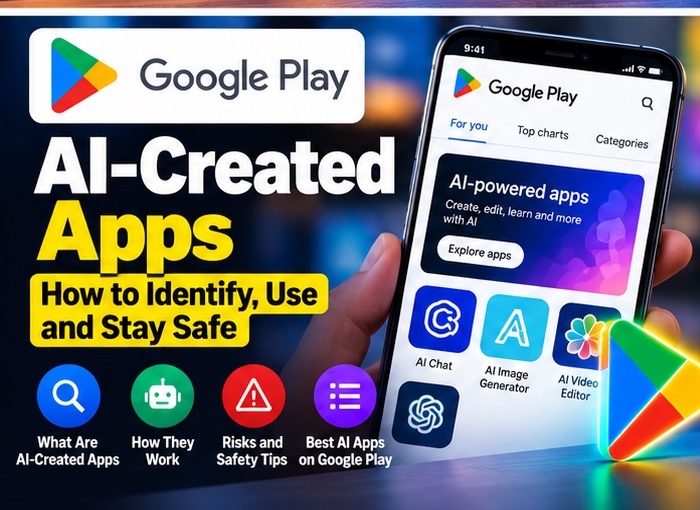
Google Play AI apps are becoming easier to discover and create, with Google’s October 2026 update introducing a way for people to build personal Android apps with Google AI Studio and run them on their own devices. The feature is designed to help people create a small app for an individual need without first becoming a professional Android developer.
The announcement also introduces AI-powered discovery features, including Ask Play for app comparisons and Game Finder for personalised game discovery. Availability is rolling out in stages and some creation features are limited by market and age. Read Google’s official October Google Play update before assuming every option is available in India.
Google Play AI Apps: What Has Google Announced?
Google says users can use Google AI Studio to describe an idea and create a custom Android app, then launch that personal app on their own device through Google Play. The initial rollout is for select markets, including the United States, and for users aged 18 or older. Google says a standard Google account is enough for this personal-use flow; a developer account is not required to run the app privately on the user’s device.
This is different from publishing a public app for everyone to download. Public distribution involves a professional developer account and Google Play’s normal review and quality requirements. Google says sharing personal apps with a small circle of friends and family is planned for a later stage.
What Kinds of Google Play AI Apps Could You Make?
Personal AI-built apps may be useful for simple, narrowly defined tasks, such as a daily checklist, a basic calculator, a personal tracker or a small tool that organises information. The best first project is one with a clear purpose and little sensitive data.
AI-generated code can contain errors, incomplete logic or security weaknesses. Treat the output as a starting point rather than proof that the app is safe or reliable. Do not begin with an app that handles banking credentials, medical records, identity documents or other high-risk data.
How the process is expected to work
- Describe the task: explain in plain language what the app should do, who will use it and what information it needs.
- Build and review: use Google AI Studio’s available tools to create a prototype, then test the main screens and actions.
- Keep the first version simple: avoid unnecessary permissions, accounts, payments or access to contacts and location.
- Run it on your device: if the personal-app feature is available for your account and region, follow the Google Play flow shown in the product.
- Test edge cases: try blank inputs, incorrect values, offline use and unexpected actions before relying on the app.
Exact interface steps may change as the feature rolls out. If you do not see the option, it may not yet be available in your market or account. For readers in India, the safest approach is to check Google’s official announcement and the options displayed in your own Google Play account rather than relying on a screenshot from another country.
How to write a better prompt for a personal AI app
A clear prompt makes it easier to review the result. Start by describing one task, the expected inputs and the output you want. For example, a simple habit tracker could let you add a habit, mark it complete each day and view a weekly summary. Avoid asking the first version to manage multiple accounts, payments, location tracking and cloud synchronisation at once.
Tell the builder what the app should not do as well. You might specify that the prototype should not collect a name, email address or location, and that information should remain on the device wherever the tool supports that design. After the first version is generated, ask for an explanation of the main screens and data handling, then inspect the result yourself.
How to evaluate an AI-built Android app
Before you depend on a personal app, check its behaviour with realistic and unusual inputs. Try empty fields, very long text, incorrect numbers and repeated taps. If the app calculates totals, compare its results with a calculator or spreadsheet. If it stores a list, close and reopen the app to see whether the information remains as expected.
Also check whether the app requests network access or sensitive permissions. A feature that does not need contacts, a microphone or precise location should not ask for those permissions without a clear reason. If you cannot tell where data goes or how to remove it, do not use the app for private information. AI can speed up prototyping, but it does not replace software testing or a privacy review.
Who should try Google Play AI apps?
This approach may suit curious Android users, students learning how software works, and people who want to prototype a small personal tool. It may be less suitable for a business-critical app, a public service or any product that handles sensitive user data. Those projects need stronger testing, maintenance, accessibility checks and clear support arrangements.
If you want to explore more practical AI tools, read FutureGearAI’s guide to choosing AI apps for Android and iPhone. You can also compare different tools in our AI apps by task guide before deciding which tool fits your workflow.
What is Ask Play?
Google also announced Ask Play, an AI-powered way to compare apps and surface information such as key differences and user sentiment. It is intended to help people make more informed choices rather than opening many listings individually. As with any AI summary, check the underlying app listing, developer details, recent reviews and privacy information before installing.
What is Game Finder?
Game Finder is designed to help users discover games based on preferences and play styles. Google describes a feature called Gamer DNA that uses game-related preferences and information users have shared to tailor recommendations. Personalisation can be helpful, but review the settings and information you choose to share.
Google Play AI Apps: Safety Checklist Before You Start
- Review permissions: a simple calculator should not need access to your microphone, contacts or location.
- Keep private data out: do not enter passwords, payment information or sensitive documents into an experimental app.
- Test before relying on it: verify calculations and important outputs independently.
- Check storage and network behaviour: understand whether information stays on the device or is sent to an online service.
- Update and remove apps you no longer need: unused prototypes should not retain unnecessary access.
- Verify availability: use Google’s official announcement and in-product guidance, not third-party claims about a universal launch.
Will this replace normal Android app development?
Not for most production apps. AI-assisted creation can make prototypes and personal tools easier to start, but public apps still need robust testing, maintenance, accessibility, privacy safeguards and compliance with platform rules. Developers also need to understand what the generated code does before releasing it to other people.
Frequently asked questions
Can anyone use the personal-app feature in India today?
Google’s announcement describes an initial rollout in select markets, including the United States. Check the official update for the current supported markets; do not assume availability in India until Google confirms it.
Do I need a developer account?
Google says the initial personal-use flow does not require a developer account. Publicly distributing an app is a separate process with additional requirements.
Are AI-created apps automatically safe?
No. Generated apps still need review and testing. Limit permissions, avoid sensitive information and verify the app’s behaviour.
Final verdict
Google’s move could make simple Android app creation more approachable for non-developers, while Ask Play and Game Finder aim to improve app discovery. The practical value depends on availability in your region and on how carefully users test AI-generated software. Start with a low-risk personal tool, review permissions and wait for official confirmation before expecting the feature to be available everywhere.
Related reading: Read FutureGearAI’s guide to AI apps for Android and iPhone and AI apps by task.