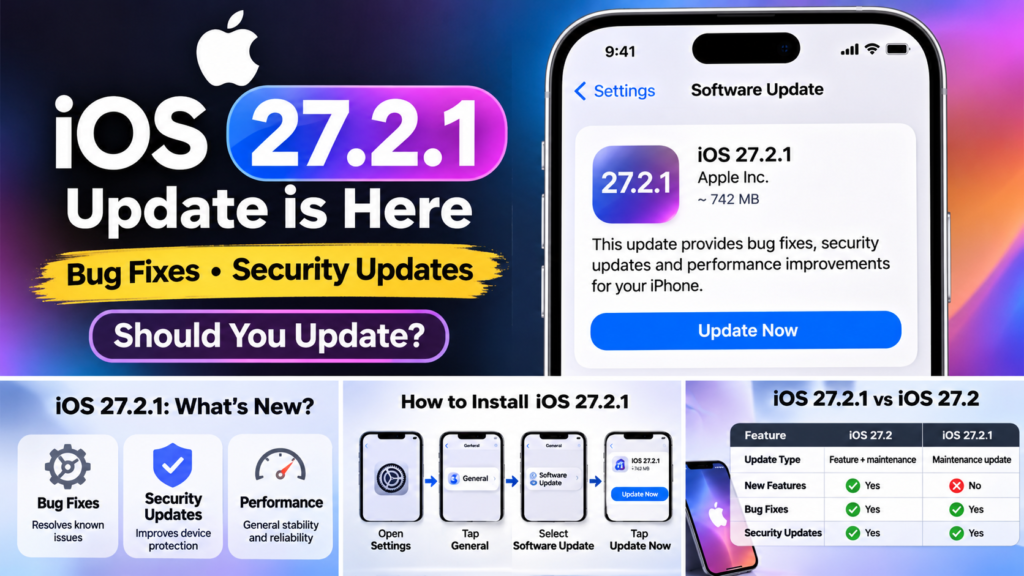
Apple has released iOS 27.2.1 on 9 November 2026, bringing another software update to compatible iPhone users. The release arrives around two weeks after iOS 27.2 and focuses on bug fixes and security improvements rather than introducing major new features.
If you are expecting a redesigned interface or new Siri capabilities, this is not that kind of update. Instead, Apple is focusing on maintaining the reliability and security of its iPhone software.
In this guide, we explain what iOS 27.2.1 includes, which iPhones can receive it, how to install it and whether you should update now.
iOS 27.2.1: What’s New?
Apple’s official release note describes the update as providing:
- Bug fixes for iPhone.
- Security updates.
- General software improvements.
Apple has not announced a major new user-facing feature specifically for iOS 27.2.1.
This is common with smaller software releases. Apple often follows a feature-rich update with a maintenance release to address issues and improve the overall experience.
For comparison, iOS 27.2 introduced more noticeable changes, including expanded Siri language availability and improvements to Apple’s software experience.
Why Is the iOS 27.2.1 Update Important?
Even when an update does not introduce visible features, security improvements can make it worth installing.
Apple’s November software release cycle includes security-focused updates for several operating system versions. The company has also published security information for iOS 26.7.3, describing fixes involving components such as AirPlay, Bluetooth, Messages and CoreUtils.
However, users should distinguish between the published security details for iOS 26.7.3 and the release notes for iOS 27.2.1. Apple should be treated as the primary source for confirming which individual fixes apply to each version.
For everyday iPhone users, the important point is simple: keep your device updated with the latest version Apple offers for it.
Which iPhones Support iOS 27.2.1?
iOS 27.2.1 is intended for iPhones running the iOS 27 software branch.
The easiest way to confirm whether your device is eligible is to check the Software Update section on your iPhone.
Apple has also released updates for devices using older software branches, including:
| Software version | Purpose |
|---|---|
| iOS 27.2.1 | Maintenance and security update for the iOS 27 branch |
| iOS 26.7.3 | Update for supported devices on the iOS 26 branch |
| iOS 18.7.12 | Update for supported devices on the iOS 18 branch |
These are separate software versions. You should install the update offered for your particular iPhone rather than attempting to install another version manually.
How to Download and Install iOS 27.2.1
Updating your iPhone is straightforward. Follow these steps:
- Connect your iPhone to a stable Wi-Fi network.
- Open the Settings application.
- Select General.
- Tap Software Update.
- Wait while your iPhone checks for available updates.
- If iOS 27.2.1 appears, select Update Now or Download and Install.
- Enter your passcode if requested.
- Follow the instructions and allow your iPhone to restart.
Your iPhone may take several minutes to complete the installation.
Things to Check Before Updating
Before installing the update, consider these precautions:
- Back up your iPhone using iCloud or a computer.
- Make sure your battery is sufficiently charged.
- Connect to a reliable Wi-Fi network.
- Keep enough free storage available.
- Avoid switching off your iPhone during installation.
A backup is particularly important if you have not saved your recent photos, videos and other important information.
Should You Install iOS 27.2.1 Now?
For most users whose iPhones are offered the update, installing iOS 27.2.1 is a sensible decision.
Here is a simple recommendation:
| User type | Recommendation |
|---|---|
| Everyday iPhone users | Install the update when available |
| Users concerned about security | Prioritise installing the latest supported update |
| Users with limited internet | Download using reliable Wi-Fi |
| Users who depend on their iPhone for work | Back up first and update at a convenient time |
| Users on older iOS versions | Install the latest update offered in Settings |
You do not need to wait for a major feature release to install an important maintenance update.
iOS 27.2.1 vs iOS 27.2: What’s the Difference?
The two updates serve different purposes.
| Feature or area | iOS 27.2 | iOS 27.2.1 |
|---|---|---|
| Update type | Feature and maintenance release | Smaller maintenance release |
| Siri improvements | Included | No new Siri features announced |
| New interface features | Included various changes | No major new interface features announced |
| Bug fixes | Yes | Yes |
| Security improvements | Yes | Yes |
| Main purpose | Add improvements and features | Address bugs and security |
If you have already installed iOS 27.2, you can check whether iOS 27.2.1 is available as a newer update.
What If iOS 27.2.1 Is Not Showing on Your iPhone?
There are several possible reasons:
- Your iPhone may not support the iOS 27 software branch.
- Your device may be using an older supported iOS version.
- Your phone may still be checking for available updates.
- Your internet connection may be unstable.
- The update may not yet be available to your particular device.
First, check your current software version by opening:
Settings → General → About
Then visit:
Settings → General → Software Update
Follow the version Apple offers for your device.
Do not download unofficial update files or install unknown configuration profiles to force an update.
Frequently Asked Questions
1. When was iOS 27.2.1 released?
Apple released iOS 27.2.1 on 9 November 2026.
2. Does iOS 27.2.1 introduce new features?
No major new user-facing features have been announced. The update focuses on bug fixes and security improvements.
3. Is iOS 27.2.1 worth installing?
Yes. If your iPhone is offered the update, installing it is generally recommended because maintenance and security updates help keep your device protected and reliable.
4. Will iOS 27.2.1 delete my photos and apps?
A normal iOS update is designed to preserve your existing data and applications. However, unexpected problems can occur, so always back up your iPhone before updating.
5. What if my iPhone is still running iOS 26?
Check Settings → General → Software Update. Apple has released iOS 26.7.3 for supported devices on the iOS 26 branch.
6. Do I need Wi-Fi to install iOS 27.2.1?
A stable Wi-Fi connection is recommended for downloading the update. Keep your iPhone connected to power if necessary.
Final Verdict
iOS 27.2.1 is a smaller but important update for compatible iPhone users. It does not bring a major redesign or a collection of new features, but it focuses on bug fixes and security improvements.
If your iPhone shows iOS 27.2.1 in Software Update, back up your important information and install it when convenient.
For users running older versions of iOS, check for the latest supported update rather than trying to install iOS 27 manually.
The bottom line: You do not need to wait for exciting new features to keep your iPhone updated. Maintenance and security releases are an important part of keeping your device in good condition.
Sources and Further Reading
- Apple Developer – Software Releases
- Apple Support – Security Updates
- 9to5Mac – Apple Releases iOS 27.2.1
- MacRumors – iOS 27.2.1 Update
