
In today’s fast-paced digital era, smartphones have evolved from simple communication devices into personal vaults holding our most sensitive information. From instant financial transactions via UPI to personal photos, medical records, and private chat histories, our mobile devices store a continuous digital trail of our daily lives. However, with this unprecedented convenience comes a serious responsibility: safeguarding your data. Every time you download a new app, grant device permissions, or connect to a public Wi-Fi network, your digital footprint expands—leaving you exposed to tracking, targeted advertising, and potential cyber threats.
Understanding modern data privacy rules and knowing how to configure your smartphone security settings is no longer optional—it is a mandatory life skill for every modern smartphone user. Whether you are using Android or iOS, taking charge of your digital footprint will protect you from identity theft, unauthorized data harvesting, and online scams.
India’s DPDP Act and Rules: What Smartphone Users Should Know in 2026
India’s Digital Personal Data Protection Act, 2023 created a framework for processing digital personal data, and the government notified the Digital Personal Data Protection Rules, 2025 on 13 November 2025. The rules use a phased commencement timeline, so not every operational requirement applies from the same date. MeitY says the framework is intended to strengthen individual rights while giving organizations a practical compliance path.
For everyday users, the important point is simple: data protection is not only about avoiding scams. It is also about understanding what information an organization collects, why it needs it, and how you can exercise your rights.
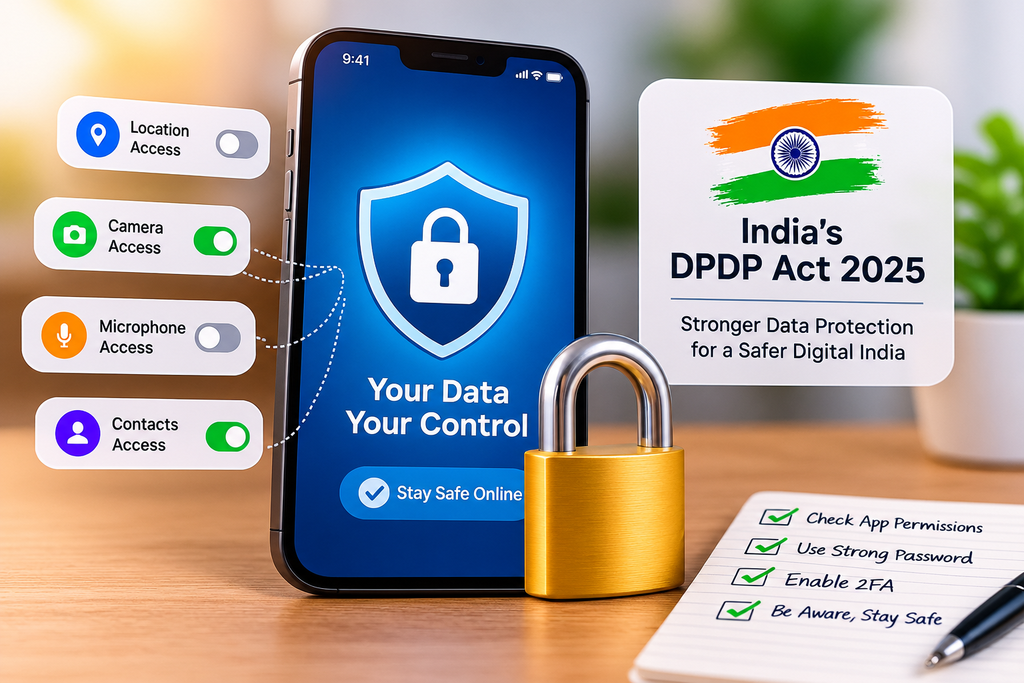
Key Privacy Principles for Smartphone Users
- Explicit Consent: Data fiduciaries (companies collecting your data) are legally required to seek clear, unambiguous consent before gathering your details. Gone are the days when platforms could hide tracking clauses deep inside lengthy, unreadable terms of service agreements.
- Right to Erasure and Correction: As a user, you have the right to request the deletion or correction of your personal data from corporate servers once the primary business purpose of collection has been fulfilled.
- Purpose Limitation: Companies can only use your data for the specific reason you gave permission for. For instance, a simple calculator app or photo editor has no legal justification to collect your contacts list or track your real-time location.
- Strict Penalties for Non-Compliance: Organizations that suffer preventable data breaches or fail to observe strict user privacy protocols face severe financial penalties, compelling them to treat your personal data with high security.
Auditing Critical App Permissions on Your Smartphone
While legal regulations provide an essential framework, your daily habits serve as the actual first line of defense. Mobile operating systems give you granular control over hardware and software access, but many users habitually tap “Allow” during app installation without realizing the privacy risks involved.
Permissions You Should Review Today
- Location Services: Always restrict location permissions to “Only while using the app.” Navigation and ride-hailing services legitimately require location access, but offline mobile games, streaming apps, or utility tools rarely need to track your whereabouts.
- Camera and Microphone: Background access to your camera and microphone represents a massive privacy intrusion. Frequently check your permission settings to ensure social media tools and chat applications only access hardware when the app is actively open on your screen.
- Contacts and SMS Access: Financial scams and predatory lending apps often exploit access to contacts and text messages. Deny SMS and contact permissions unless an application strictly requires them for essential operations, such as automated two-factor authentication (2FA).
- Nearby Devices and Bluetooth: Modern retail tracking and localized ads rely on Bluetooth beacons to track your physical movement through shopping centers. Disable Bluetooth access for non-essential applications to prevent subtle tracking.
Essential Built-in Privacy Settings to Enable Immediately
Both Android and iOS include powerful native privacy features designed to shield your identity. Configuring these built-in tools takes just a few minutes and significantly curtails third-party tracking.
Recommended System Tweaks
- Reset or Limit Advertising ID: Operating systems assign a unique advertising identifier to your device, allowing advertisers to build detailed profiles of your browsing interests. Go to your system settings to reset your Advertising ID periodically or disable personalized ads entirely.
- Configure Private DNS: Encrypting your system Domain Name System (DNS) queries prevents internet service providers and local network administrators from logging the websites you visit. Using a trusted Private DNS provider adds an automatic layer of encryption to all outgoing web traffic.
- Check Your Privacy Dashboard: Modern Android and iOS systems include detailed privacy dashboards. Review these logs weekly to monitor which third-party applications accessed your sensitive sensors (location, camera, or microphone) within the past 24 hours.
- Opt Out of Analytics Sharing: During initial setup, smartphones frequently ask to send diagnostic and usage data back to the manufacturer. Disabling automatic diagnostic sharing reduces unnecessary network background activity and stops diagnostic telemetry.
Securing Financial Data and UPI Transactions
With digital payments becoming standard across India, mobile devices have effectively replaced traditional physical wallets. Protecting your financial transactions requires strict operational security alongside network privacy tools.
Best Practices for Mobile Financial Safety
- Avoid Banking on Public Wi-Fi: Never access banking portals, execute mobile transfers, or enter payment credentials while connected to unencrypted public Wi-Fi networks in airports or cafes. If necessary, switch to cellular data or use a reputable Virtual Private Network (VPN).
- Watch Out for Phishing and Smishing Links: Cybercriminals frequently send urgent text messages or WhatsApp alerts claiming your bank account or mobile SIM card is about to be suspended. Never click suspicious short links or install third-party APK files received via direct messaging.
- Enable App Locks and Biometric Verification: Secure your financial apps (Google Pay, PhonePe, Paytm, and mobile banking applications) with dedicated PIN codes or biometric locks distinct from your phone’s primary lock screen code.
Smartphone Privacy Checklist for 2026
Use this quick checklist once a month:
- Review location, camera, microphone, contacts and SMS permissions.
- Remove apps you no longer use and review their permissions before uninstalling.
- Check your phone’s privacy dashboard for unexpected sensor access.
- Keep Android, iOS and important apps updated with security fixes.
- Use a strong screen lock and biometric protection for banking and payment apps.
- Do not install APKs or configuration profiles from unknown links.
- Review privacy notices before giving an app access to sensitive information.
DPDP Act vs Everyday Smartphone Privacy
| Privacy issue | What you should do |
|---|---|
| App collects unnecessary data | Check the reason for collection and deny permissions that are not needed. |
| Want to understand data use | Read the service privacy notice and look for the purpose of processing. |
| Want to withdraw consent | Use the service’s available consent or account controls and follow its published process. |
| Old or unused account | Delete the account where practical and remove stored personal information where the service allows it. |
Frequently Asked Questions
What are the main data privacy rules in India for smartphone users?
The DPDP Act, 2023 and the DPDP Rules, 2025 form India’s main digital personal data protection framework. The Rules include requirements around clear notices, consent and user rights, with an eighteen-month phased compliance timeline.
Does every app need every permission it requests?
No. A permission should have a reasonable connection to the app’s function. Review sensitive permissions and deny access that the app does not need.
Is public Wi-Fi automatically unsafe?
Public Wi-Fi is not automatically malicious, but avoid sensitive transactions on untrusted networks. Prefer mobile data or a trusted network for banking and other high-value activity.
How often should I check smartphone privacy settings?
A monthly review is a practical habit, and you should also check permissions whenever you install a new app or notice unusual behaviour.
Related FutureGearAI Guides
- AI Apps for Android and iPhone: How to Choose
- Budget Smartphones in India: What to Check Before Buying
- Generative AI in 2026: Uses, Agents and What Comes Next
Conclusion: Taking Control of Your Mobile Privacy
As smartphones become more deeply integrated into our daily personal and professional lives, taking control of your digital privacy is essential. Legal safeguards like data protection laws establish crucial rights, but configuring app permissions, enabling system-level privacy settings, and maintaining cautious digital habits keep your personal information secure on a daily basis. Take ten minutes today to review your mobile device settings, revoke excess permissions from unused apps, and ensure your personal data remains private.