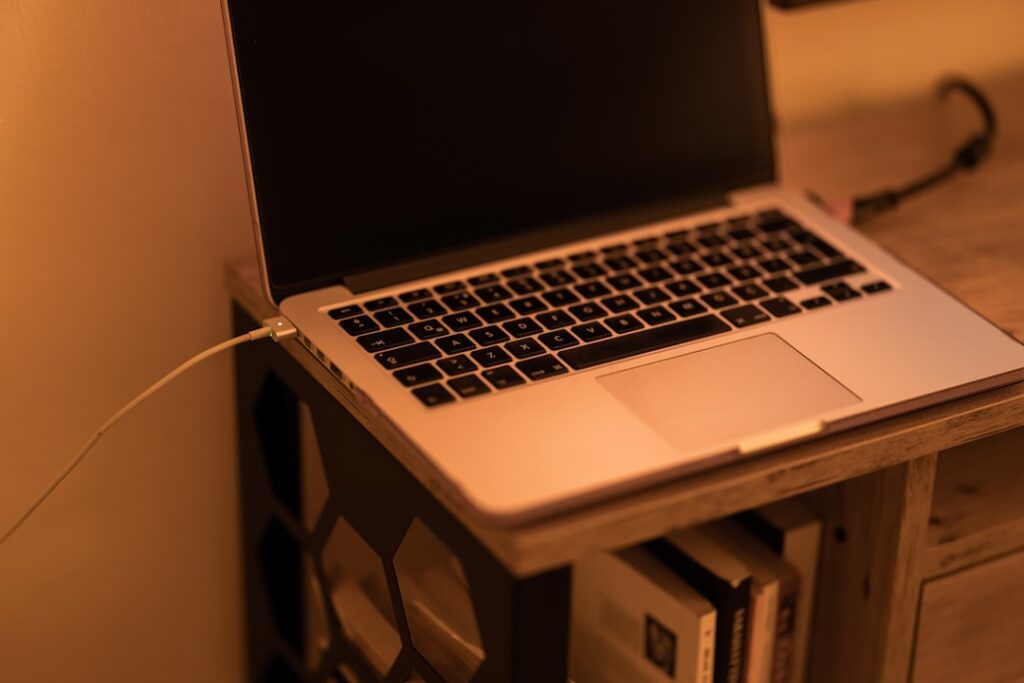
Working remotely often begins with a false sense of simplicity. A laptop, a power adapter, and a flat dining table or work desk appear sufficient for the first few weeks. Over time, however, persistent neck stiffness, wrist fatigue, and poor posture make the limitations of bare laptop hardware impossible to ignore. As laptops have become lighter and sleeker, their compact form factors have consolidated keyboards, displays, and trackpads into a single cramped chassis. The screen sits far below eye level, while the built-in trackpad forces repetitive strain onto wrists resting against hard metal or plastic edges.
Addressing these ergonomic pitfalls does not require spending thousands on luxury office furniture or multi-monitor docking hubs. Within India’s expanding entry-level accessories market, targeted investments under Rs 2,000 can fundamentally restructure a home workstation. By examining utility-first hardware highlighted in Mint’s breakdown of productivity accessories, remote professionals can identify durable, functional add-ons that deliver immediate comfort without inflated price tags.
The Ergonomic Anchor: Why Elevating Your Screen Comes First
The primary structural defect of using a laptop directly on a desk is viewing angle. Looking down at a display for eight to nine hours a day forces the cervical spine into continuous flexion. This unnatural tilt accelerates shoulder tightness and upper back strain. An elevated laptop stand is the single most effective intervention for any remote setup because it brings the top third of the display directly into your natural line of sight.
Budget aluminium laptop risers have largely replaced bulky plastic platforms, offering rigid structural support, compact folding mechanisms, and open ventilation frames. In market ecosystems driven by India’s affordable gadget boom, these metal stands provide longevity that easily outlasts cheaper alternatives while maintaining the portability required by hybrid workers who commute between home and co-working spaces.
Comparing Accessible Stands: Zebronics ZEB-NS2000 vs DailyObjects Arete
When selecting a budget-friendly laptop riser, structural integrity and adjustment versatility are the primary factors to consider. Two prominent aluminium models available on Indian retail platforms illustrate different approaches to portable ergonomic support: the Zebronics ZEB-NS2000 and the DailyObjects Arete.
The Zebronics ZEB-NS2000 is engineered around high adjustability and lightweight transport. Weighing approximately 252 grams, the aluminium alloy frame incorporates seven discrete height levels spanning from 68mm up to 144mm. This degree of height variation allows users to tailor elevation precisely to their torso height and desk dimensions. It supports machines up to 17 inches in size and holds loads up to 5kg. Silicone contact pads prevent the base of the machine from slipping or suffering scratches, and the stand folds down completely into a bundled carry pouch.
Conversely, the DailyObjects Arete focuses on a balanced, minimalist form factor designed for notebooks up to 16 inches. Like the Zebronics model, it handles a 5kg payload and utilizes an aluminium build. Rather than silicone strips, it employs anti-slip EVA pads to stabilize the machine against desk movement. Both platforms feature open-frame cutaways that keep the underside of the laptop exposed to ambient room air.
| Feature | Zebronics ZEB-NS2000 | DailyObjects Arete |
|---|---|---|
| Material Construction | Aluminium alloy | Aluminium frame |
| Maximum Display Size | Up to 17 inches | Up to 16 inches |
| Load Capacity | Up to 5 kg | Up to 5 kg |
| Adjustability | 7 height levels (68mm to 144mm) | Foldable elevation frame |
| Grip Material | Silicone anti-slip pads | Anti-slip EVA pads |
| Portability Add-ons | Carry pouch included; 252g weight | Foldable structure for bags |
Ditching the Trackpad: The Enduring Utility of Basic Wired Mice
Elevating a laptop onto an angled stand creates an immediate ergonomic necessity: using the laptop’s built-in keyboard and trackpad while elevated creates severe wrist extension and forearm strain. A standalone navigation tool becomes essential. While wireless connectivity often dominates consumer marketing, budget wireless mice frequently suffer from cheap optical sensors, inconsistent connection drops, and battery degradation.
For a stationary desk, a standard wired peripheral such as the Dell MS116 Wired Optical Mouse represents exceptional functional value. Operating over a standard USB cable, the MS116 avoids wireless interference and eliminates battery maintenance entirely. Its optical LED tracking engine runs at 1,000 DPI (dots per linear inch), offering sufficient precision for tracking across dense spreadsheets, managing wide application windows, and general multitasking. The dual-button layout with an integrated mechanical scroll wheel provides tactile feedback without unnecessary bloatware or complicated software pairing.
Pairing a dedicated mouse with an elevated laptop immediately returns your forearm to a neutral resting position along the desk surface, preventing repetitive strain injuries commonly caused by dragging fingers across integrated trackpads.
Thermal Management and Airflow: A Secondary Longevity Advantage
While physical comfort is the visible goal, budget accessories also solve device performance bottlenecks. Most consumer notebooks intake cool air through lower base vents and exhaust heat near the hinge. When placed flat on wooden desks, mousepads, or fabric-covered surfaces, thermal dissipation drops sharply. The cooling fans ramp up, internal components throttle clock speeds to prevent overheating, and performance degrades during video conferences or multitasking sessions.
Both the Zebronics ZEB-NS2000 and DailyObjects Arete use skeletonized, open-frame layouts that lift the laptop chassis completely off the desk surface. By eliminating the insulating boundary layer between the machine base and the tabletop, cool ambient air circulates freely around intake vents. This natural convection assists internal heatsinks without requiring noisy, USB-powered fan bases that often add clutter and mechanical failure points to an affordable setup.
The Peripheral Divide: Budget Staples vs High-End Workstation Gear
Understanding where low-cost accessories succeed requires acknowledging where budget constraints reach their limits. In workstation design, accessories typically fall into two categories: mechanical/structural basics, and active electronic peripherals.
Mechanical stands and basic wired input gear provide nearly the same ergonomic utility at entry-level pricing as premium alternatives. A metal riser holding a laptop at eye level achieves the exact same postural outcome whether it costs Rs 800 or Rs 4,000. However, high-bandwidth electronic equipment demands a much higher financial commitment.
For instance, complex setups highlighted among top tech upgrades often include multi-mode wireless keyboards like the EvoFox Ronin TKL (a 79-key mechanical board supporting Bluetooth, 2.4GHz wireless, and USB-C wired links), high-end gaming headsets with 50mm audio drivers such as the Corsair HS50 Pro or HP X1000, or external monitors like the 32-inch Samsung Odyssey G3 (offering Full HD 1920×1080 resolution, a 180Hz refresh rate, 1ms response time, and AMD FreeSync). These active electronic upgrades deliver significant versatility, but they sit well outside basic entry-level budgets. For home workers managing tight finances, establishing an ergonomic baseline with an aluminium stand and wired mouse yields the largest immediate comfort gain per rupee spent.
Practical Decision Criteria for Remote Workers
Before purchasing entry-level desk accessories, evaluate these practical considerations to ensure compatibility with your daily workflow:
- Chassis Size and Weight: Verify your laptop’s diagonal display size and weight against stand limits. While models like the Zebronics ZEB-NS2000 accommodate larger 17-inch machines up to 5kg, ultrabooks under 14 inches can use almost any compact folding stand.
- Port Availability: Simple wired mice like the Dell MS116 require a standard USB Type-A port. If your daily work machine features only USB Type-C connections, factor in a low-cost adapter or look for compatible hubs before buying.
- Mobility Requirements: If you work exclusively at home, heavier stands offer maximum stability. If you rotate between home and office, prioritize models under 300 grams that fold into flat strips and include protective sleeves to prevent scratching inside your backpack.
- Surface Stability: Look for stands that use silicone or high-grade EVA contact dampening on both the base feet and the laptop cradle. Thin rubber stickers on ultra-cheap stands peel off quickly under heat, leaving metal scraping against desk surfaces.
Verdict: Maximum Daily Relief on a Modest Budget
Ergonomic comfort while working from home is not an exclusive privilege reserved for high-end corporate workstations. By spending well under Rs 2,000, remote professionals can secure two foundational upgrades: an adjustable aluminium riser—such as the Zebronics ZEB-NS2000 or DailyObjects Arete—and a reliable, no-nonsense optical mouse like the Dell MS116. Together, these modest additions lift the screen to eye level, keep the device operating coolly, and restore arms and wrists to natural resting postures. Investing in these entry-level mechanical basics resolves the physical fatigue of remote desk work, letting you focus on your tasks rather than your aches.
Sources & further reading
- 10 Laptop accessories on Flipkart that can change how you work and study | Mint — Mint
- From video calls to spreadsheets: Laptops that make working from home easier — Hindustan Times
- 25 Best Laptop Accessories to Make the Most Out of Your Mac or PC — Popular Mechanics