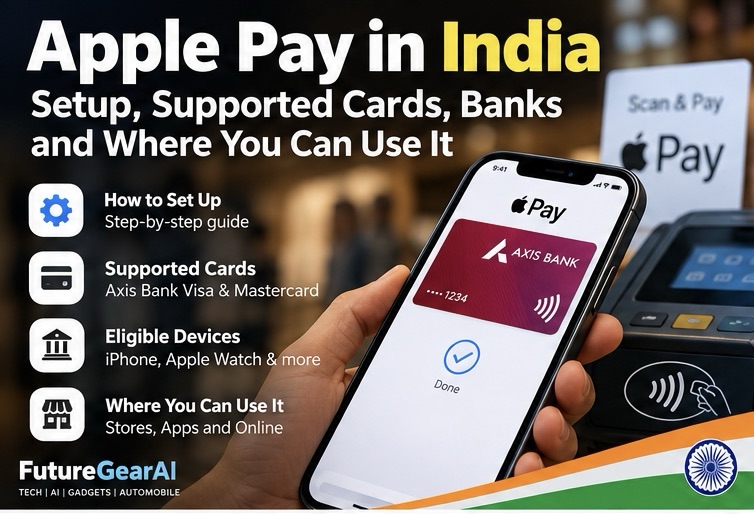
Apple Pay is now available in India, bringing Apple’s contactless payment service to supported iPhone, iPad and Apple Watch users. However, not every bank card works with Apple Pay. At launch, Apple lists eligible Axis Bank-issued Visa and Mastercard credit cards, so checking your exact card before setup is essential.

In this guide, we explain how Apple Pay works in India, which cards are currently listed as supported, how to add an eligible card, where you can pay, and what to do if your card cannot be added. Information below reflects Apple’s published India information checked on 12 October 2026; supported banks and features may change.
What is Apple Pay?
Apple Pay is a digital payment service that lets you pay using a compatible Apple device and an eligible payment card stored in the Wallet app. In stores, you can authenticate on your device and hold it near a contactless payment terminal. You can also use Apple Pay in supported apps and on participating websites when the Apple Pay option is offered.
Apple Pay does not replace your bank account or card. It provides a way to use an eligible card without presenting the physical card or manually entering card details at every checkout.
Is Apple Pay available in India?
Yes. Apple announced the India launch on 30 September 2026. Apple says Apple Pay is available in India on iPhone, iPad and Apple Watch, with Mac support described as coming soon in its launch announcement. Availability can vary by device, software version, card and merchant.
At launch, Apple lists Axis Bank-issued Visa and Mastercard credit cards as eligible cards in India. Not every card from a participating bank is necessarily supported. Before relying on Apple Pay for everyday payments, check Apple’s official India participating-bank list and confirm eligibility with your card issuer.
Which cards and banks are supported?
Apple’s India card eligibility page currently lists Axis Bank for Visa and Mastercard credit cards. This is a limited launch list, not confirmation that every Visa or Mastercard issued in India will work. A card network logo alone does not guarantee compatibility.
- Bank listed: Axis Bank.
- Card types listed: eligible Visa and Mastercard credit cards issued by Axis Bank.
- Other banks and card types: check Apple’s current list for updates; do not assume a debit card, prepaid card or another bank’s card is supported.
If your card is not accepted, contact the bank that issued it. The bank can confirm whether that exact card product is eligible and whether any verification is required.
How to set up Apple Pay on an iPhone
Before starting, make sure your iPhone is compatible, updated, signed in to your Apple Account, and protected with Face ID, Touch ID or a device passcode. You also need a supported card from a participating issuer.
- Open the Wallet app on your iPhone.
- Tap the + or Add Card button.
- Choose Debit or Credit Card, then tap Continue.
- Scan your card if prompted, or enter the card details manually.
- Follow any verification instructions from your bank. Your issuer may ask you to confirm details or use its app.
- Once the issuer approves the card, follow the on-screen instructions to finish setup.
If the card cannot be added, check the bank and card type first. Also install the latest supported software, confirm your device passcode is enabled, and contact your issuer if verification fails. See Apple’s official Apple Pay setup instructions for the latest steps.
How to pay in a store
At a store with a compatible contactless terminal, double-click the side button on a supported iPhone or use the relevant Wallet shortcut, authenticate with Face ID, Touch ID or your passcode when prompted, and hold the top of the iPhone near the contactless reader. On Apple Watch, double-click the side button and hold the watch near the reader.
Wait for the terminal to confirm the transaction. The merchant’s terminal and payment network still need to authorise the payment, so Apple Pay does not guarantee that every transaction will be approved.
Where can you use Apple Pay in India?
Apple says Apple Pay can be used at participating in-store and online merchants, including supported apps and websites. At launch, Apple named examples such as Apple Store locations, Blinkit, Chaayos, Croma, Ixigo, Zomato and other merchants. Acceptance depends on the merchant’s payment setup and whether the Apple Pay option or a compatible contactless terminal is available.
Look for the contactless payment symbol at a physical checkout, or the Apple Pay button at an online checkout. A shop accepting ordinary card payments does not automatically mean its online checkout supports Apple Pay.
Is Apple Pay safe?
Apple Pay is designed to reduce the need to share your physical card details at checkout. Apple says the actual card number is not stored on Apple servers or shared with merchants. Payments use device authentication and payment-specific security information. Your bank’s normal card terms, fraud monitoring and transaction controls still apply.
Use a strong device passcode, keep your operating system updated, protect your Apple Account, and never share one-time passwords or verification codes with someone who contacts you unexpectedly. If your phone or card is lost, follow Apple’s and your bank’s official instructions to secure the device and card.
Apple Pay vs UPI in India
Apple Pay and UPI are different payment methods. UPI is widely used in India for bank-account-to-bank-account payments through participating apps. Apple Pay uses an eligible payment card added to Wallet and can be used at supported contactless terminals and participating online checkouts. They are not direct substitutes in every situation.
For everyday payments, check which method the merchant accepts and which payment instruments you have available. If your bank card is not supported by Apple Pay, you can continue using your usual card or UPI app.
Common Apple Pay problems and fixes
- Card cannot be added: confirm that your exact card is on Apple’s supported list and ask the issuer about eligibility.
- Verification fails: follow the bank’s verification steps or contact the issuer directly.
- Terminal does not respond: confirm the terminal supports contactless payments, hold the device near the reader, and try again as instructed by the merchant.
- Payment is declined: check your card status, available limit, issuer alerts and the merchant’s terminal; Apple Pay cannot override a bank decline.
- Feature is missing: check device compatibility, region, software version and Apple’s latest availability guidance.
Frequently asked questions
Does Apple Pay work with every Indian bank?
No. Apple’s India eligibility page currently lists eligible Axis Bank Visa and Mastercard credit cards. Check the official list for changes and confirm your exact card with the issuer.
Can I use Apple Pay without mobile data?
For an in-store contactless purchase, an active Wi-Fi or cellular connection is generally not required at the moment of payment. Some account information or transaction details may update when your device reconnects. Online purchases naturally require an internet connection.
Does Apple charge a fee for Apple Pay?
Apple says it does not charge users a fee for making purchases with Apple Pay. Your card issuer may still apply its usual card charges, interest or foreign-transaction fees under your card agreement.
Can I add my debit card?
Do not assume that a debit card is eligible just because its bank or card network is supported elsewhere. Check Apple’s current India list and confirm the specific card with the issuer.
Final thoughts
Apple Pay’s India launch gives users another way to make supported contactless and online payments with Apple devices. The most important detail is card eligibility: at launch, Apple lists eligible Axis Bank-issued Visa and Mastercard credit cards. Check the official bank list before setting up Wallet, and use the payment method that is supported by both your card and the merchant.
Related reading on FutureGearAI
If you are comparing mobile devices and useful upgrades, read our guide to tech upgrades worth buying and our smartphone battery health and charging tips.
Official resources: Apple’s India launch announcement · Supported cards in India · Apple Pay setup guide.