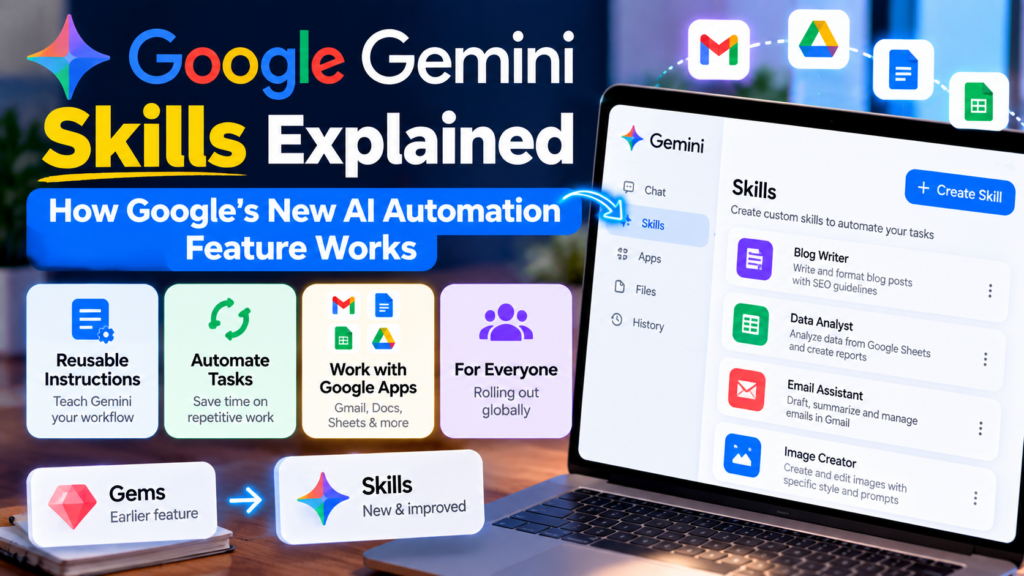
Google is changing how people customize Gemini. Its new Skills feature lets you save reusable instructions for tasks you perform repeatedly, then call those instructions again instead of rebuilding the same prompt every time. Google says Skills are rolling out in Gemini chat and are replacing Gems, with the transition beginning for personal Google Accounts in November 2026.

What are Gemini Skills?
Gemini Skills are reusable sets of custom instructions that teach Gemini how you want a particular task handled. Instead of repeatedly writing a long prompt such as “summarize this document in my preferred format and include these checks,” you can save the workflow as a Skill and reuse it.
Google describes Skills as a way to automate repetitive work. A Skill can contain instructions, examples and, where supported, reference files. Gemini can also recognize when a Skill is relevant to a request and apply it automatically.
Why Google is introducing Skills
The main idea is consistency. A normal prompt gives Gemini instructions for one conversation. A Skill turns a useful set of instructions into a reusable workflow.
- Less repetitive prompting: Save instructions once instead of rewriting them.
- More consistent output: Reuse the same structure, tone or checklist.
- Task automation: Skills can be used for recurring work such as drafting, analysis or presentation preparation.
- Combination of workflows: Google says multiple Skills can be stacked for more complex tasks.
- Reference material: Skills can include supported files such as text documents, PDFs and images.
How Gemini Skills work
At a basic level, a Skill has three parts: what the task is, how Gemini should perform it, and any useful reference material or examples.
For example, imagine you regularly prepare a weekly technology report. A Skill could instruct Gemini to organize the report into “major news,” “AI updates,” “product launches,” “what changed,” and “what to watch next.” You can then reuse that workflow rather than starting from a blank prompt.
Google says Skills can be invoked by typing / followed by the Skill name in Gemini chat. The company also says Gemini can automatically recognize when a Skill is relevant to a prompt.
Examples of useful Gemini Skills
| Skill idea | What it can do |
|---|---|
| Meeting summary | Turn notes into decisions, action items and open questions. |
| Writing style | Apply a preferred tone and structure to repeated writing tasks. |
| Presentation preparation | Create an outline, talking points and possible Q&A preparation. |
| Research checklist | Follow a repeatable process for organizing information and identifying gaps. |
| Content review | Check a draft against a defined editorial checklist. |
Can you combine multiple Skills?
Yes. This is one of the more interesting parts of the feature. Google says Skills can be combined, allowing separate workflows to work together.
For example, you could have one Skill that defines your writing style and another that contains brand or formatting rules. Using both together can make the final output more consistent than relying on one large prompt.
This is useful because it separates instructions by purpose. If your writing style changes, you can update that Skill without rebuilding every other workflow.

Gemini Skills vs Gems: What’s changing?
Skills are not simply another name for Gems. Google is using Skills as the next version of its customization system, with broader use inside existing Gemini chats.
For personal Google Accounts, Google says Gems will begin going away in November 2026 and existing Gems will be automatically transitioned to Skills. Work, enterprise and education accounts have later transition dates.
Google also says Skills can be used directly in chats instead of requiring users to switch to a separate Gem conversation. This makes the feature more closely connected to the normal Gemini workflow.
Who can use Gemini Skills?
Availability is still rolling out. Google’s current help documentation says Skills are available to people aged 18 or over using a personal Google Account, with Keep Activity enabled. Google also says the feature is currently available through Gemini on the web, the Gemini mobile app and the Gemini app for Mac, although availability can vary during the rollout.
Work and school accounts are being expanded separately, so users should check their account’s Gemini interface rather than assuming the feature is already available.
What are the limitations?
Skills are useful, but they are not a replacement for checking AI output. A reusable instruction can make a workflow more consistent without making the underlying answer automatically correct.
- Availability can vary: Google is rolling Skills out gradually.
- Not every Gemini feature works with Skills: Google’s documentation currently lists limitations involving features such as Canvas and Deep Research.
- Mobile editing has limitations: Google says some manually created Skills and Skills containing uploaded files may require the Gemini web app for editing.
- Output still needs review: A Skill controls the workflow; it does not guarantee factual accuracy.
Are Gemini Skills an AI agent?
Not by themselves. A Skill is better understood as a reusable instruction layer. It can make Gemini more useful for a repeated workflow, but that does not mean every Skill independently plans and executes a complete task like an autonomous agent.
Google is also developing more agent-like Gemini experiences. For example, Google has described Gemini Spark as a personal AI agent that can work with tasks and schedules. Skills can complement these kinds of workflows by defining how a particular task should be performed.
How to create a useful Skill
- Choose one repeated task. Start with something you actually do often.
- Define the desired result. Explain what a successful output should contain.
- Add constraints. Specify length, tone, structure, exclusions or required checks.
- Add examples or reference files when useful. These can give Gemini more context.
- Test the Skill. Run several different examples before relying on it.
- Improve the instructions. Remove vague requirements and add checks for common mistakes.
A simple example
Suppose you want a Skill for reviewing blog drafts. Instead of simply telling Gemini “review this article,” a stronger Skill could define a checklist:
- Check whether the title matches search intent.
- Look for unsupported factual claims.
- Identify sections that need original explanation.
- Check whether sources are relevant and current.
- Suggest internal-link opportunities.
- Return a clear publish, revise or reject recommendation.
The important part is that the Skill captures a repeatable process. You can then reuse it across articles instead of recreating the checklist each time.
Should you use Gemini Skills?
If you repeatedly give Gemini the same instructions, Skills are worth trying. They are particularly useful for writing, analysis, presentations, research organization and other structured tasks.
If you only use Gemini occasionally for simple questions, a normal prompt may be enough. The biggest benefit appears when a workflow is repeated often enough that saving the instructions removes friction.
Frequently asked questions
Are Gemini Skills replacing Gems?
Yes. Google says Skills are replacing Gems, with the transition beginning for personal Google Accounts in November 2026. Existing Gems are expected to migrate automatically.
Can Gemini Skills use files?
Google says Skills can include supported reference files such as text documents, PDFs and images. Some file-related editing capabilities are currently easier to manage through the Gemini web app.
Can I use more than one Skill at the same time?
Yes. Google says Skills can be stacked so multiple reusable workflows can contribute to the same task.
Do Skills make Gemini more accurate?
Not automatically. They can improve consistency and provide better task-specific instructions, but you should still verify important facts and outputs.
Final verdict
Gemini Skills are an important step toward making AI assistants more useful for repeatable work. The feature is more interesting than simply saving prompts because Google is integrating reusable instructions directly into Gemini conversations and allowing Skills to be combined.
For everyday users, the practical test is simple: if you find yourself typing the same detailed instructions again and again, turn that workflow into a Skill and refine it over time. Just remember that automation and consistency are not the same as accuracy, so important outputs still need human review.