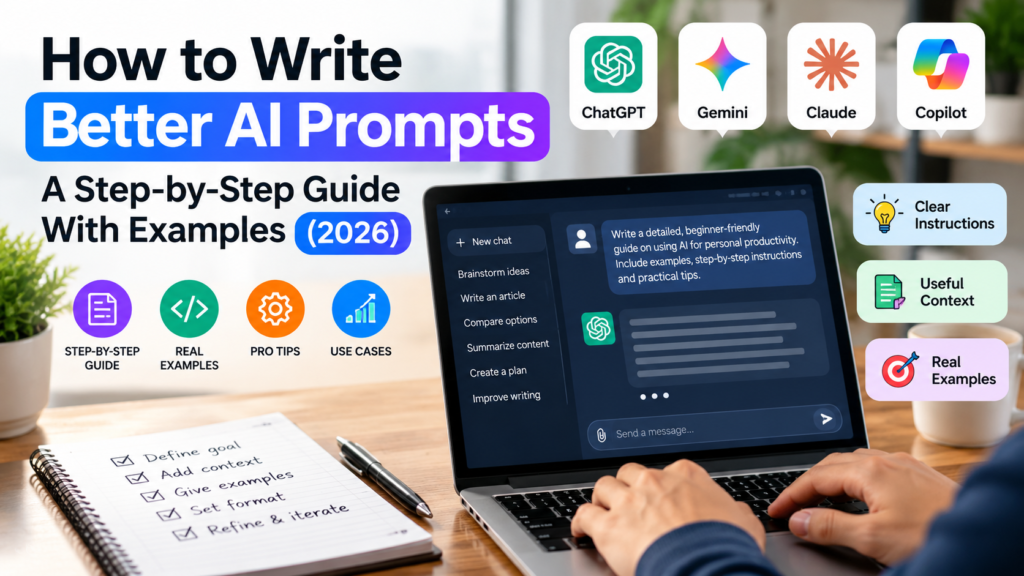
Learning how to write better AI prompts can make AI responses more useful, consistent and easier to review. Most poor AI answers are not the AI’s fault. They come from vague instructions. In this step-by-step guide you will learn a simple 5-part prompt formula, see before-and-after examples, and get a checklist you can use every day.
Last updated: October 2026. This guide works with any major AI assistant, because it teaches the thinking behind a good prompt, not a feature of one product.
Table of Contents
Quick Answer: What Makes a Good AI Prompt?
A good AI prompt tells the AI who it should act as, what you need, the background, the format you want, and any limits. These details reduce ambiguity and give the model a clearer target for the response.
Table of Contents
- Why Your AI Answers Feel Generic
- The 5-Part Prompt Formula
- Step-by-Step: Write a Prompt From Scratch
- Before-and-After Prompt Examples
- 4 Techniques to Improve Any Prompt
- Common Prompt Mistakes to Avoid
- Prompt Checklist
- FAQs
Why Your AI Answers Feel Generic
AI assistants predict a helpful response from the words you give them. If you type “write a blog post about fitness,” the AI has no idea who the reader is, how long the post should be, or what tone you want. So it produces an average answer that could fit anyone.
Good prompts remove that guesswork. Think of the AI as a smart new assistant who knows a lot but knows nothing about you, your audience or your goal. Your job is to brief them well.
The 5-Part Prompt Formula
Use these five parts, in this order. You do not need all five every time, but the more you include, the better your result.
| Part | What it does | Example |
|---|---|---|
| 1. Role | Sets the expertise and point of view | “Act as a personal finance coach for beginners.” |
| 2. Task | States exactly what you want done | “Create a 30-day plan to save for an emergency fund.” |
| 3. Context | Gives background the AI cannot know | “I earn a monthly salary, live in a rented flat and have no savings.” |
| 4. Format | Controls the shape of the answer | “Use a table with weekly goals, then a short summary.” |
| 5. Constraints | Sets limits, tone and what to avoid | “Keep it under 300 words, use simple language, no investment advice.” |

Step-by-Step: Write a Prompt From Scratch
Step 1: Decide the outcome first
Before typing, finish this sentence: “When this answer is ready, I will use it to ______.” A summary for your boss, a study plan, a product description and a code fix all need different prompts.
Step 2: Give the AI a role
Start with who the AI should be. “Act as an experienced travel planner” or “Act as a patient maths tutor for a 12-year-old” changes the vocabulary, depth and tone of the response.
Step 3: State one clear task
Use a strong action verb: write, compare, summarise, explain, list, rewrite, plan. Avoid stacking five unrelated requests into one message. One clear task works better than many mixed ones.
Step 4: Add context
Include your audience, goal, skill level, location, budget or deadline. Context is the single biggest upgrade most beginners can make.
Step 5: Choose the format
Say how you want the answer: bullet points, a table, steps, a short email, a 150-word paragraph. If you do not choose a format, the AI picks one for you.
Step 6: Set constraints
Add word count, tone (friendly, formal, direct), reading level and things to avoid. This keeps the answer on target.
Step 7: Review, then refine
Treat the first answer as a draft. Reply with specific feedback such as “Make it shorter,” “Add a real-life example” or “Rewrite for a complete beginner.” Iterating is normal and is often faster than writing a perfect prompt on the first try.

Before-and-After Prompt Examples
Example 1: Writing
Weak prompt:
Write about healthy eating.
Better prompt:
Act as a nutrition writer. Write a 400-word blog introduction about healthy eating for busy office workers aged 25 to 40. Use a friendly, practical tone, include one relatable example, and end with a question that invites comments. Avoid medical claims.
Example 2: Learning
Weak prompt:
Explain machine learning.
Better prompt:
Act as a patient teacher. Explain machine learning to a complete beginner with no coding background. Use one everyday analogy, then give a 5-step summary and 3 simple real-world examples. Keep it under 250 words.
Example 3: Work
Weak prompt:
Write an email to my manager.
Better prompt:
Write a polite, concise email to my manager asking to move Friday’s project review to Monday because I am waiting on data from another team. Suggest two time slots, keep it under 120 words, and use a respectful, confident tone.
4 Techniques to Improve Any Prompt
- Show an example. Paste a sample of the style or format you like and say “match this style.” This is often called few-shot prompting.
- Ask for steps. For logic, maths or planning, ask for the key steps, assumptions and checks you need to review the result.
- Ask questions back. Add “Ask me up to 3 questions first if you need more information.” This fills gaps in your context.
- Request a critique. After getting an answer, ask “What is missing or weak in this answer?” and then “Improve it.”

Reusable AI Prompt Template
Use this simple template when you are not sure how to structure a request:
Role: Act as [role].
Task: Help me [specific task].
Context: Here is what you need to know: [background].
Output: Give me [format, length and tone].
Constraints: Do not [limits, exclusions or requirements].
Check: Before the final answer, flag important assumptions or missing information.
You can remove any line that is unnecessary. A short, specific prompt is better than a long prompt filled with irrelevant details.
Common Prompt Mistakes to Avoid
- Being too vague: “Make it better” gives the AI nothing to work with. Say how.
- Cramming too many tasks: Split big jobs into smaller steps and run them one by one.
- Skipping context: The AI does not know your audience, budget, country or goal unless you say so.
- Trusting facts blindly: AI can produce confident but wrong statements. Always verify numbers, dates, quotes and legal, medical or financial information with reliable sources.
- Sharing private data: Do not paste passwords, bank details, confidential company documents or other people’s personal information into a chatbot.
- Giving up after one try: Follow-up messages are part of the process.
Quick Prompt Checklist
Before you press send, check:
- Did I say who the AI should be?
- Is there one clear task?
- Did I add background, audience and goal?
- Did I choose a format and length?
- Did I set tone and limits?
- Will I verify important facts?

Keep Learning
Once you can write clear prompts, the next step is choosing the right tool for each job. Read our comparison of ChatGPT vs Claude vs Gemini vs Copilot, explore more in AI Explained, or browse our AI Tools & Apps guides.
Final Thoughts
Better prompts are not about secret tricks. They are about being clear: give the AI a role, one task, useful context, a format and sensible limits, then refine the result. Practise the 5-part formula on your next three AI requests and you will notice the difference straight away.
Frequently Asked Questions
What is the best way to write an AI prompt?
Use the 5-part formula: role, task, context, format and constraints. Be specific about your goal and audience, then refine the answer with follow-up messages.
How long should an AI prompt be?
Long enough to include the context the AI needs, and no longer. For simple tasks one or two sentences work. For complex tasks, a short paragraph with clear instructions is usually better.
Do I need to learn prompt engineering to use AI?
No. You do not need technical skills. Clear writing and a few habits, such as adding context and choosing a format, cover most everyday needs.
Why does the AI give different answers to the same prompt?
AI models generate responses with some variation, so wording and details can change each time. A more specific prompt makes results more consistent.
Can AI prompts be wrong or misleading?
The prompt itself is only an instruction, but the AI’s answer can contain mistakes. Always double-check important facts, especially for health, legal, financial or safety topics.
Can I use the same prompt in different AI tools?
Yes. The 5-part formula works across major AI assistants, though each tool may respond with a slightly different style, so small adjustments can help.