The Infinix GT 50 Pro India launch is scheduled for 27 October 2026, and the gaming-focused phone brings a 144Hz AMOLED display, dedicated shoulder triggers and a large battery for players who want sustained performance. The company has confirmed an India launch date of 27 October 2026 and highlighted a MediaTek Dimensity 8400 Ultimate chipset, HydroFlow liquid cooling, a 6.78-inch 1.5K AMOLED display with up to a 144Hz refresh rate, pressure-sensitive shoulder triggers and a 6,500mAh battery.
The specification list looks promising, but a gaming phone should be judged during long sessions, not only by a refresh-rate number or a benchmark screenshot. Heat, frame-time consistency, battery drain, touch response and game compatibility make a real difference.
Explore more smartphone and device coverage in our our mobile gaming phone-cooler guide.
Infinix GT 50 Pro India Launch: Confirmed Details
Infinix has confirmed the GT 50 Pro’s key features ahead of the India launch. The company describes the phone as a successor to the GT 30 Pro and emphasises gaming controls and cooling. Final price, retail offers and exact storage configurations should be checked at launch. Reports can help shoppers prepare, but the official India product listing should settle market-specific details.
Infinix GT 50 Pro India Display and 144Hz AMOLED
A 144Hz display can refresh up to 144 times per second, making supported motion look smoother than on a lower-refresh panel. AMOLED technology can deliver strong contrast and deep blacks. Those qualities can make games, scrolling and video look more fluid, but they do not guarantee that every game runs at 144 frames per second.
Actual frame rate depends on the game’s own limits, graphics settings, chipset, software optimisation and sometimes the developer’s device whitelist. A phone may have a 144Hz panel but run a demanding title at 60fps. Buyers should test the games they play rather than assume that the maximum display rate will be available everywhere.
Also check brightness outdoors, touch accuracy around the screen edges and whether the panel remains comfortable during long sessions. A higher refresh rate can use more power, so adaptive refresh settings may be sensible for everyday use.
Infinix GT 50 Pro India: Performance and Gaming Tests
The announced Dimensity 8400 Ultimate is designed to handle demanding apps and games. A capable chip can improve loading, graphics and multitasking, but short benchmark scores do not show how the phone behaves after heat builds up. Gaming performance depends on the processor, GPU, memory, cooling, firmware and the game’s own optimisation.
Look for independent tests that run a game for 30 to 60 minutes and report average frame rate, frame-time stability, temperature and battery use. Stable performance is usually more satisfying than a high peak frame rate that repeatedly drops. If you play online, latency and Wi-Fi or mobile-network stability matter too; a powerful chip cannot fix a poor connection.
Infinix GT 50 Pro India: HydroFlow Liquid Cooling
Infinix highlights its HydroFlow liquid-cooling system to help move heat away from key components. Cooling can help a phone sustain performance, but it cannot eliminate heat in every situation. Hot weather, direct sunlight, charging during gameplay, high screen brightness and demanding graphics settings can still raise temperatures.
When testing the phone, look for signs of throttling, brightness reduction and uncomfortable heat around the frame. Avoid playing while charging unless the device explicitly supports a suitable bypass-charging mode. Use a reputable compatible charger and let the phone cool if it becomes unusually hot.
Do not interpret the word “liquid” as water resistance. Check the official ingress-protection rating and warranty conditions. A cooling design does not mean a phone should be exposed to water or used in a wet environment.
Shoulder triggers and control layout
Pressure-sensitive shoulder triggers can make supported games easier to control by mapping actions such as aiming, firing or accelerating to physical touch points. They can free up screen space for your thumbs, but their usefulness depends on customisation, game compatibility, placement and grip.
Test for accidental presses and whether the trigger position feels natural during a longer session. Check whether the controls work across games or only in a dedicated gaming mode. Also consider the phone’s weight and balance: a device that feels fine in a two-minute demo may become tiring during an hour-long match.
Infinix GT 50 Pro India Battery Life and Charging
The GT 50 Pro is announced with a 6,500mAh battery. That capacity could be helpful for long sessions, but actual endurance depends on game, frame rate, brightness, network conditions and background apps. Wait for reviews that separate continuous gaming from mixed daily use. A test over Wi-Fi may not represent a commute where the phone uses mobile data and searches for signal.
Confirm the charging speed and charger-in-box policy on the India listing. Fast charging reduces downtime, but charging can add heat, so it is worth understanding how the phone behaves while plugged in. Battery capacity is only one part of the experience; software optimisation and cooling also influence efficiency.
Everyday features still matter
Most owners use a phone for more than gaming. Check camera performance, call quality, speaker output, haptics, storage, fingerprint unlocking and software support. Reports indicate a 50MP main camera, but resolution alone does not determine quality. Test a face indoors, a moving subject and a night scene, and record a short clip to assess focus and microphone audio.
Before buying, check how long the device is expected to receive Android version upgrades and security patches. Gaming modes can be useful, but the phone should still handle banking apps, authenticator apps and work profiles reliably. Check the repair cost for the screen and battery as well.
Who Should Buy the Infinix GT 50 Pro India Model?
The GT 50 Pro is worth watching if you play demanding games frequently and value a high-refresh display, gaming controls and a large battery. It may be less compelling for buyers who mostly browse, message and take photos. In that case, a balanced mid-range phone may deliver better camera versatility or longer software support for the same money.
Launch-day checklist
- Confirm price, RAM/storage options and actual sale date.
- Check which games support high frame rates on the device.
- Read sustained gaming tests, including heat and frame-rate stability.
- Verify battery endurance, charging speed and charger inclusion.
- Try the triggers, speakers and touch controls before deciding.
- Check software support, warranty and authorised service access.
Frequently asked questions
When does the Infinix GT 50 Pro launch in India?
Infinix has announced 27 October 2026. Check its official channels for price and sale details.
Will every game run at 144fps?
No. The panel supports up to 144Hz, but game support and actual frame rate depend on software, settings and performance.
Does liquid cooling prevent overheating?
No cooling system can eliminate heat under every condition. Independent sustained-load testing is needed to judge real performance.
Is it suitable as an everyday phone?
Potentially, but check camera quality, software support, weight, battery behaviour and service costs alongside gaming features.
Verdict
How to test a gaming phone in a store
If a demo unit is available, spend a few minutes checking the controls and screen rather than just looking at the design. Open a game you know, try the default and high-refresh settings, and check whether the touch response feels consistent around the edges. Test the shoulder triggers in the grip you normally use. If the phone is already warm from a demo, do not assume that brief performance represents a fresh device; look for independent sustained tests after launch.
Also think about the accessories you may need. A case can change how easy it is to reach the triggers, and a high-wattage charger should be compatible with the manufacturer’s charging protocol. A phone used for long gaming sessions may need more storage than a device used mainly for messaging because large games, updates, screen recordings and downloaded media accumulate quickly. Read the exact storage options and whether expansion is supported before paying.
For context on keeping temperatures under control, see our guide to phone coolers for mobile gaming. External cooling accessories are not a substitute for good thermal design, but the guide explains when they may be useful.
The GT 50 Pro’s announced combination of a 144Hz AMOLED screen, cooling, shoulder triggers and a large battery targets genuine gaming needs. The most important question is whether those parts work together during long sessions. Wait for the official Indian price and independent tests before buying.
How to judge value against other gaming phones
Compare devices at the same street price rather than comparing one phone’s launch price with another phone’s discounted price. Use the same game, graphics preset, brightness and network conditions when reading battery and frame-rate tests. A higher peak benchmark is less useful if performance drops after the phone warms up.
Make a short scorecard before purchase: sustained performance, temperature and comfort, display visibility, battery endurance, charging time, game compatibility, software support, service access and final price. Weight the categories based on how you play. For competitive games, stable frame pacing and responsive controls may matter more than camera quality; for a daily-use phone, updates, cameras and comfort deserve more weight. Do not treat manufacturer claims as independent test results.
Featured image credit
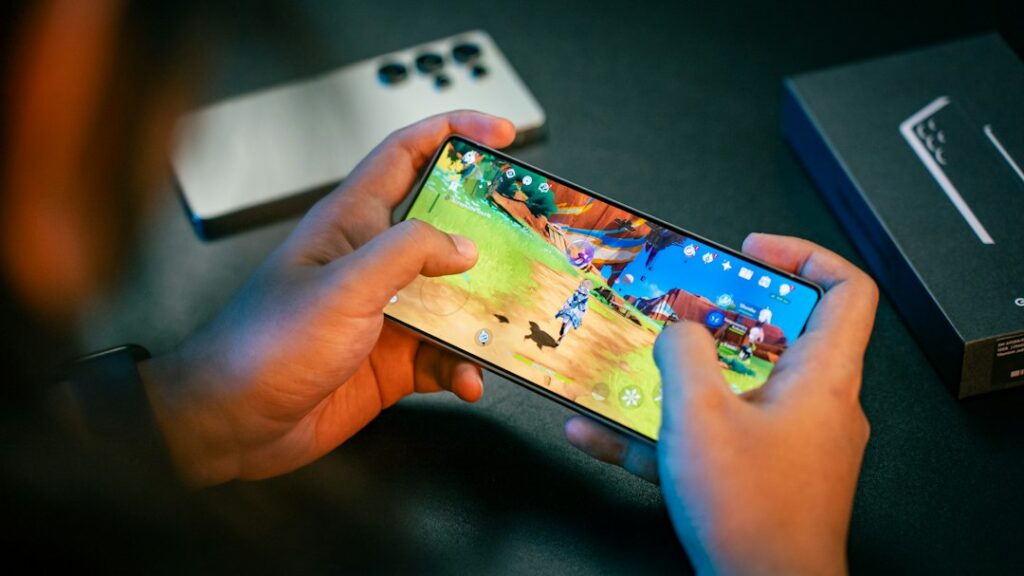
Illustrative smartphone image only; it is not a confirmed product photo of the GT 50 Pro. Photo by Thai Nguyen on Unsplash.
Sources and further reading
- Gadgets 360: Confirmed specifications and launch date
- NDTV Profit: Infinix GT 50 Pro India launch details
- Infinix official website
Gaming-phone checklist: what to test before buying
Use these checks when the retail unit and independent reviews are available:
- Test your actual games: check supported graphics presets and frame-rate options for the games you play; a 144Hz panel does not mean every game runs at 144 frames per second.
- Look for stable performance: compare frame-time consistency after 20–30 minutes, not just a short benchmark.
- Check heat where you hold it: warm surfaces and thermal throttling can affect comfort and performance.
- Measure battery drain: compare gaming time at the same brightness, network connection and graphics settings.
- Inspect controls: confirm shoulder-trigger mapping, accidental presses, supported games and whether controls work in the titles you use.
- Calculate the real cost: include a compatible charger, case, cooling accessory and storage tier if these are not included.
- Check update policy and warranty: gaming performance is only one part of long-term value.
Quick decision: prioritise sustained frame rates, comfort and support over a single benchmark score. If possible, wait for independent thermal and battery tests. Related guides: phone coolers for mobile gaming, our USB-C charger guide, and the smartphone buying guide.