Mesh Wi-Fi vs extender is an important comparison when weak Wi-Fi in a bedroom, kitchen or home office makes video calls freeze and downloads crawl. Mesh Wi-Fi can help cover several rooms, while a traditional extender may be a lower-cost fix for one small dead zone. Compare coverage, speed, cost and setup before choosing; the best option depends on your home size, wall construction, router location, internet plan and number of devices.
In this mesh Wi-Fi extender guide, we explain the trade-offs in plain language so you can identify the actual problem before spending money. A better network is not necessarily the one with the most antennas or the highest advertised speed; it is the one that delivers reliable coverage where you use it.
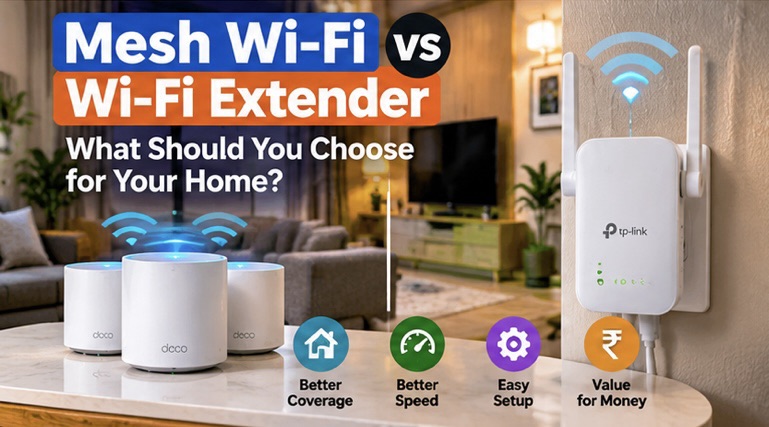
What Is a Wi-Fi Extender?
A Wi-Fi extender, sometimes called a repeater, connects to your existing wireless network and rebroadcasts a signal into an area where coverage is weak. It can be an inexpensive fix for a small dead zone, particularly when it can receive a strong signal from the main router. If the extender itself is placed in a location where the router signal is already poor, it may simply repeat a weak connection.
Some extenders use the same network name, while others create a separate network name. Roaming behaviour depends on the product and client devices, so a phone may remain connected to a distant access point longer than you expect. Extenders also differ in how they use radio bands and whether they have an Ethernet port.
What Is Mesh Wi-Fi and How Does It Work?
A mesh system uses a main router and one or more nodes that cooperate to provide a broader network. Depending on the model, nodes communicate over a dedicated wireless backhaul, share radio capacity with client devices, or connect by Ethernet. The system manages network names and roaming to make movement around the home more seamless, although the phone or laptop still plays a role in deciding when to roam.
A mesh Wi-Fi extender setup can be easier to manage across several rooms or floors, but it is not magic. Nodes need good placement and a strong connection to one another. Thick concrete walls, metal doors, crowded radio channels and long distances can weaken the link between nodes. A badly placed mesh node can perform no better than a poorly placed extender.
Mesh Wi-Fi vs Extender: Key Differences
| Factor | Wi-Fi extender | Mesh Wi-Fi |
|---|---|---|
| Best fit | One small dead zone or a budget fix | Several rooms or multiple floors |
| Setup | Usually simple, but network naming can vary | App-led setup with coordinated nodes |
| Roaming | May be less seamless depending on model | Designed for coordinated roaming; device behaviour still matters |
| Cost | Usually lower for one device | Usually higher for a multi-node kit |
| Performance | Can reduce throughput when repeating wirelessly | Depends on backhaul, node placement and radio capacity |
| Expansion | Compatibility and management vary | Best within the same supported mesh family |
Check your current network before buying
First, test the connection near the main router and in the problem room. If speeds are poor everywhere, the issue may be your broadband plan, router, line quality or service provider rather than coverage. If the connection is fast beside the router but unreliable in one room, coverage is a more likely cause.
- Run a speed test near the router and repeat it in the weak room using the same device.
- Check whether the problem affects one device or every device.
- Restart the router and install available firmware updates from the manufacturer.
- Move the router to an open, central location if your broadband connection allows it.
- Try the 2.4 GHz band for range-oriented devices and 5 GHz for higher capacity at shorter range, where supported.
- Look for interference from nearby networks or electronics, and avoid hiding the router in a closed cabinet.
Keep expectations realistic: a speed test measures a moment in time. Repeat at different times of day if performance varies, and distinguish internet speed from local Wi-Fi speed.
Mesh Wi-Fi Extender Placement: What Works Best?
When planning a mesh Wi-Fi extender setup, choose a location where each node still receives a healthy signal from the router or its neighbouring node. For a traditional extender, place it roughly between the router and the weak area. Putting it directly inside a dead zone gives it little useful signal to repeat. For mesh, start with the manufacturer’s placement guidance and check the node’s link quality in its app if available.
In multi-storey homes, placing nodes vertically aligned can sometimes help, but floor materials and wall layout matter. A node should not be hidden behind a television, inside a metal cabinet or next to a large appliance that blocks radio signals. Test the actual rooms where you work and stream rather than judging placement from the hallway alone.
Wireless vs Ethernet Backhaul for Mesh Wi-Fi
Wireless backhaul means the nodes use Wi-Fi to communicate with one another. It is convenient because you do not need to run network cables, but that wireless link uses radio capacity and can be affected by distance and interference. A system with a dedicated backhaul radio may handle this better than a basic repeater, but results vary by model and environment.
Ethernet backhaul connects mesh nodes by network cable. When practical, it can provide a stable link between nodes and leave more wireless capacity for phones, TVs and laptops. A wired access point is another option: connect a compatible access point to the router by Ethernet and configure it according to its instructions. It can be a strong choice for a home office or a room where stable performance matters.
What about Wi-Fi 6 and Wi-Fi 7?
Newer Wi-Fi standards can improve efficiency and capacity with compatible devices, but a newer logo alone does not solve poor placement or a weak backhaul. Your phone, laptop, router and mesh nodes must support the relevant features to benefit from them. If most devices are older, an expensive high-end kit may offer less practical improvement than a well-placed access point.
Read the specifications for supported bands, Ethernet port speeds, security updates and the manufacturer’s compatibility rules. Do not assume a mesh node from one product family will join another brand’s mesh network simply because both support the same Wi-Fi generation.
Mesh Wi-Fi vs Extender: Which Suits Your Home?
- Small flat with one weak corner: improve router placement first, then consider a single compatible extender if the signal remains weak.
- Large flat with several dead zones: a mesh kit may be easier to manage than several unrelated extenders.
- Multi-storey house: mesh can help, but a wired backhaul or access point may provide more consistent performance where cabling is possible.
- Home office with video calls: prioritise stability. Ethernet to the laptop or a wired access point can be more reliable than adding another wireless hop.
- Many smart-home devices: check 2.4 GHz support, device capacity and whether the router allows a separate guest or IoT network.
Security and maintenance checklist
- Change default administrator credentials and use a strong Wi-Fi password.
- Use WPA2-AES or WPA3 security where supported and appropriate for your devices.
- Install firmware updates and check whether the product still receives security support.
- Disable remote administration if you do not need it, and review connected devices periodically.
- Use a guest network for visitors and untrusted devices if your router supports it.
- Buy equipment with a clear warranty and a reliable update policy.
Common buying mistakes
Do not choose based only on the maximum speed printed on the box. Those figures are theoretical link rates and do not equal real internet throughput. Do not put an extender where the original signal is already unusable. Avoid buying multiple devices without checking whether they work together. Finally, do not pay for a premium mesh kit before checking whether the broadband connection itself is the bottleneck.
Frequently asked questions
Does a mesh system always provide faster internet?
No. It can improve coverage and consistency, but speed depends on the broadband plan, node links, interference, device capability and placement.
Can I mix brands in a mesh system?
Do not assume compatibility. Some standards enable limited interoperability, but management and advanced features are often tied to a supported product family.
Is an extender enough for a two-floor home?
It may work in some layouts, but several dead zones or thick walls may favour mesh or wired access points. Test the layout before deciding.
Should I upgrade to Wi-Fi 7?
Only if your devices, internet needs and budget justify it. A well-positioned older router can outperform a poorly configured newer system in everyday use.
A simple troubleshooting order before you spend
When Wi-Fi drops, change one thing at a time so you can tell what helped. First, test close to the router and check whether the broadband service is stable. Next, move the router into the open and away from thick obstructions. Then test the problem room again. If only one device struggles, update its Wi-Fi driver or software and reconnect it. If every device loses connection at the same time, investigate the router or internet service before buying extra coverage equipment.
If you do buy an extender or mesh node, test it in the same locations and at similar times of day. Compare video-call stability and repeated speed tests rather than relying on signal bars alone. Keep notes about where the node sits and whether its connection uses wireless or Ethernet backhaul. A small placement change can make a meaningful difference.
Finally, keep your network secure. Replace unsupported hardware when it no longer receives security updates, use a strong administrator password and review connected devices periodically. Coverage is important, but an always-on network also needs maintenance. A measured upgrade usually beats buying the most expensive system without first identifying the actual bottleneck.
Final verdict
For a mesh Wi-Fi extender decision, choose a traditional extender for a simple, limited coverage problem and mesh for a broader home network that needs coordinated nodes. If you can run Ethernet, a wired access point or Ethernet backhaul may be the most consistent solution. Test your current connection, improve placement and compare real needs before buying. Coverage, stability, security updates and support matter more than headline speed numbers.