
Introduction:
“In the digital era, Canva AI – Smart Design for Everyone has made it possible to create stunning designs without needing professional graphic design skills.”. Thanks to Canva AI – Smart Design for Everyone, anyone can design social media posts, presentations, logos, and more with just a few clicks. Canva has transformed into an AI-powered design assistant, making creativity simple, fast, and accessible.
What is Canva AI?
Canva AI is an artificial intelligence tool inside Canva that helps users design smarter. Instead of spending hours editing, you can type what you want, and Canva AI will generate layouts, templates, images, and even text. This feature allows beginners and professionals alike to create high-quality designs effortlessly.
How to Use Canva AI – Smart Design for Everyone.
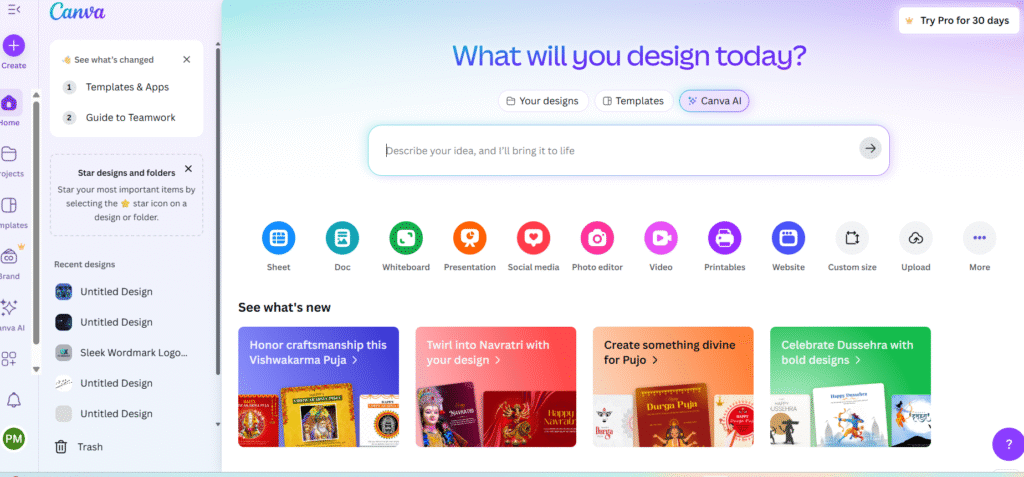
- Sign Up or Log In → Visit Canva and create a free account.
- Open Canva AI Features → Use “Magic Design,” “Magic Media,” or “Magic Write.”
- Enter Your Prompt → Type what you want (e.g., “Create a modern business presentation”).
- Customize the Result → Edit colors, fonts, and layouts as per your style.
- Download & Share → Save your design instantly and use it across platforms.
Key Features of Canva AI tools
- Magic Design → Instantly generates professional layouts.
- Magic Media → Creates AI-generated images & graphics.
- Magic Write → Writes engaging text content for your designs.
- Video Editing AI → Helps create and edit videos effortlessly.
- Presentation Maker → Designs ready-to-use professional presentations.
- Cross-Platform Support → Works on web, desktop, and mobile apps.
Why Use Canva Magic Design
in 2025?
First of all, Canva AI saves time by generating designs instantly. Furthermore, it makes professional-quality graphics accessible to everyone, even without prior design experience. As a result, businesses, students, and creators can share eye-catching content effortlessly across different platforms. In addition, Canva AI integrates with other tools like Google Drive and Dropbox, which makes collaboration much smoother. Therefore, it stands out as a smart solution for anyone who wants to create stunning visuals quickly and effectively.
Future of Canva AI
In the near future, Canva AI may expand with 3D design support, voice-driven commands, and smarter AI templates. In fact, these updates will make the platform even more versatile for both beginners and professionals. Moreover, they will reduce the learning curve and speed up the design process. As a result, Canva AI will continue to empower everyone to design without limits.
Final Thoughts
To sum up, Canva AI features – Smart Design for Everyone is more than just a design tool. In fact, it acts as an AI-powered creative partner that helps you design faster, smarter, and better. Moreover, it simplifies the process so that anyone can create professional designs with ease. Therefore, whether you are a student, business owner, or influencer, AI-powered Canva
can truly take your creativity to the next level.
👉 If you want to design like a pro in 2025, Canva AI is the tool you need.
Frequently Asked Questions about Canva AI
1. Is Canva AI free to use?
Yes, many Canva AI features like Magic Design are free. However, advanced tools may require Canva Pro.
2. Can Canva AI replace professional designers?
Not entirely. Canva AI makes design simple for everyone, but professionals may still prefer advanced tools for detailed projects.
3. Is Canva AI available on mobile?
Absolutely! Canva AI works on both web and mobile apps, making it easy to design anytime.